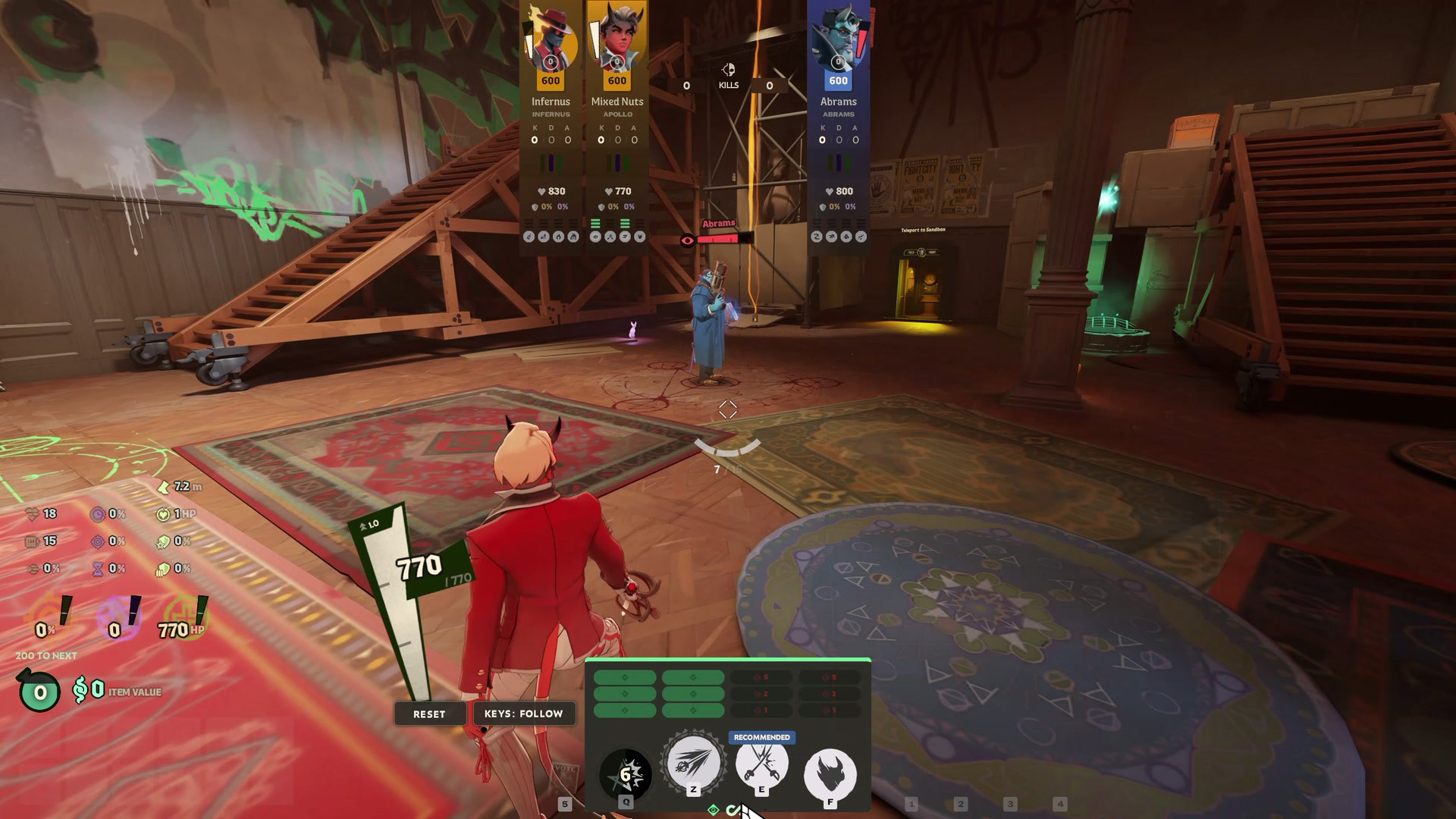
 Screenshot 1 of 2
HUD
Virtual Abilities
Author: mixednuts
- Downloads
- 19
- Likes
- 2
- Updated
- October 23, 2026
Install with Mod Manager
GameBanana pageOpens Deadlock Mod Manager: it downloads the file from GameBanana and enables the mod.
No app yet? Download Deadlock Mod Manager
Description
From the author, in the original language.
Virtual Abilities lets you rearrange your hero's four abilities on the HUD. Hold Tab (or open the shop) and drag an ability icon onto another to swap them. By default your keys follow the abilities, so Q casts the same ability wherever you put it. Click Keys to make them stay with the positions instead: your first ability key casts and upgrades whatever sits in position 1, so you can line up similar abilities across heroes.
Features
- Drag to swap, on the HUD while Tab is held and in the shop.
- Keys follow the abilities or stay with the positions, your choice for every hero, including your own rebinds and per-hero keybinds. Your keybinds are never changed.
- Click an icon to upgrade it when you let go, so a drag never spends a point. Right-click the upgrade pips to undo, as usual.
- Layouts are kept per hero. The four heroes you changed most recently, and the Keys setting, are saved between sessions, and the hero in the main menu gets its layout straight away.
- A Reset button puts the game's order back.
Install
- Deadlock Mod Manager: install with 1-click, then start the game with Launch modded. If you run other HUD mods, move Virtual Abilities to the top of Change Mods Order.
- By hand: copy
pak01_dir.vpkto\game\citadel\addons\(use a free, lowpakNN_dir.vpknumber if pak01 is taken). Ingame\citadel\gameinfo.gi, add these lines aboveGame citadelunder SearchPaths, and add them again after each game update:
Game    citadel/addons
Mod     citadel
Write   citadel
Without the
Mod and Write lines the game fails to start with "Unable to read default keybinding configuration".Saving and custom subtitles
Layouts are saved in the subtitle custom style colors (Settings > Subtitles), which do nothing while custom subtitles are off. If you use custom subtitles, the mod leaves them alone and layouts last until the game closes. If you turn custom subtitles on later you'll see the mod's colors; set your own and the mod stops saving.Removing it
Disable or remove it in Deadlock Mod Manager (by hand: delete the VPK). Your keys are the game's again at once: the mod never changes your keybinds. To put the game's subtitle colors back too, press Reset on each hero you rearranged and set Keys to follow before removing it, or seeREADME.txt for the console line.Conflicts
The mod replacespanorama/layout/base_hud.xml and cfg/citadel_keys.lst. Run only one mod that replaces base_hud.xml: if another one wins, ability keys stop working. Each release is built for one game patch (named in README.txt); after a patch that changes keybinds, wait for an update.Fair play
Nothing is revealed and nothing is automated: the mod only moves where abilities sit on your HUD and which key casts which. The server receives ordinary ability input. It uses the game's own consolealias command for the key redirect.AI disclosure
The code was written with the help of Claude (Anthropic), an AI assistant, which wrote most of it. The source is MIT licensed.Similar mods
HUD
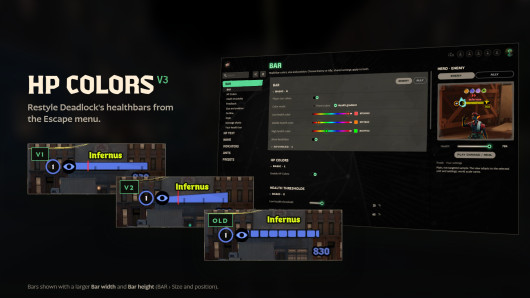
Health Color
HUD
MapList
The mod is its author's work; files and previews live on GameBanana, catalog data comes from Deadlock Mod Manager. If you are the author and want it removed, message us. Contacts
New skin - now the rank
The free tracker shows which heroes cost you points. Don't want to spend the season grinding? Price a boost.