 Screenshot 1 of 3
HUD
Liberty — Ultimate Timers & HUD Tools
Author: g0dman666
- Downloads
- 951
- Likes
- 3
- Updated
- October 15, 2026
Install with Mod Manager
GameBanana pageOpens Deadlock Mod Manager: it downloads the file from GameBanana and enables the mod.
No app yet? Download Deadlock Mod Manager
Description
From the author, in the original language.
LIBERTY — HUD mod for Deadlock
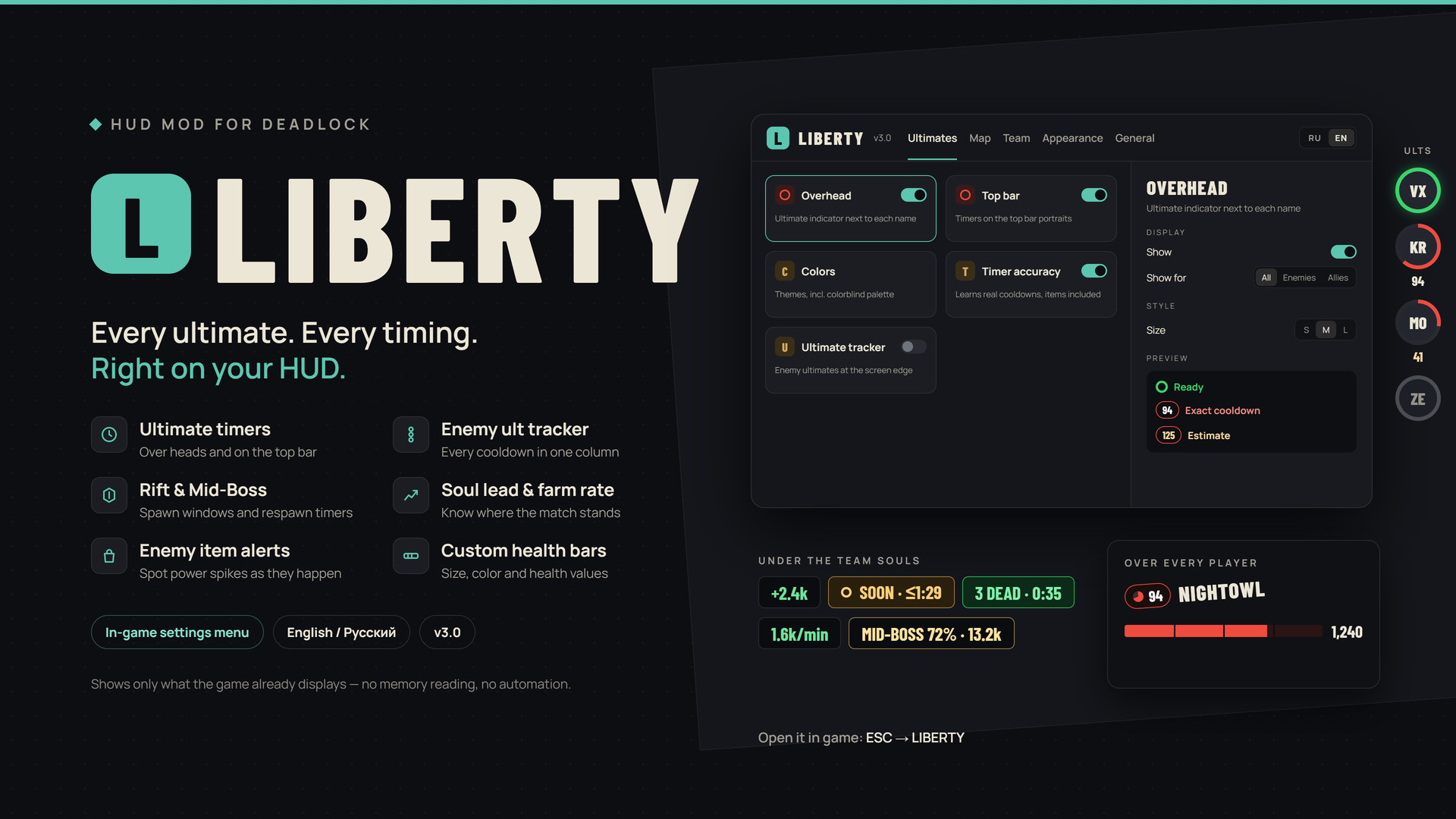
Liberty adds the information you usually track in your head: enemy ultimates, map timings and the state of the match. Everything is configured from an in-game menu (ESC → LIBERTY) and changes apply instantly.
Liberty only shows information the game already puts on screen. It does not read game memory and does not automate any input.
FEATURES
Ultimates
• Ultimate indicator next to every player's name: ready, or on cooldown with a timer.
• Ultimate timers on the top bar portraits.
• Enemy ultimate tracker in a column at the screen edge.
• Learns real cooldowns, items included, from what you see; shows an estimate until then.
• Themes and custom colors, including a colorblind palette.
Map
• Rift spawn window as a countdown or in match time.
• Mid-Boss health and respawn timer.
• Push window: how many enemies are dead and when the first one respawns.
Team
• Soul difference between the teams.
• Farm rate: your souls per minute compared with the best ally and enemy.
• Alerts when an enemy completes a new item (tier and category).
• Reminder about unspent ability points.
Appearance
• Position and style of the ultimate indicator, name tilt and size.
• Custom health bar with adjustable width, height, colors and segments.
• Health value shown without having to shoot the target.
HUD
• 4:3 screens: on screens narrower than 16:10 the game pushes your health bar off-screen. Liberty recalculates the health bar and ability positions for your screen width so they sit exactly as on 16:9 (on by default, only active on such screens).
• Shop skins: Liberty, Neon, Glass — or keep the game's look. Panels, headers and item cards are restyled; card colors show the item category and tier.
• Shop size: default, 95–80% or “Fit” to show the whole shop on 4:3.
• Color of your own hero's health bar and position of its numbers.
General
• Wide view (r_aspectratio) presets and slider, designed for 16:9 screens.
• Menu language: English / Russian (follows the game language by default).
• Movable and resizable settings window.
INSTALLATION
1. Close Deadlock.
2. Copy pak97_dir.vpk to Deadlock\game\citadel\addons (rename it to a free number such as pak85_dir.vpk if the name is taken).
3. Make sure mod loading is enabled in gameinfo.gi — if your other mods work, it already is. Step-by-step instructions are in the README inside the archive. Deadlock Mod Manager also works.
4. In game press ESC and open LIBERTY.
LIMITATIONS
• Settings are saved in the game's built-in browser on your computer; this needs an internet connection when the game starts.
• The game does not expose item names to the HUD, so purchase alerts show tier and category.
• Wide view uses an unofficial game setting; use it at your own discretion.
COMPATIBILITY
Liberty replaces the hud_escape_menu, citadel_hud_top_bar, citadel_hud_top_bar_player and unit_status_overlay_v2 layouts and may conflict with other mods that change these files. The shop and health bar files are not replaced — the 4:3 fix and the styles are applied while the game runs, so they keep working after game updates. Disable other 4:3 fix mods to avoid conflicts. Major game updates and Steam file verification reset gameinfo.gi — if mods stop loading, enable mod loading again.
Thanks to Predi_i, hanturaya and BubbleGumXD for their work on the settings saving and loading system
Liberty adds the information you usually track in your head: enemy ultimates, map timings and the state of the match. Everything is configured from an in-game menu (ESC → LIBERTY) and changes apply instantly.
Liberty only shows information the game already puts on screen. It does not read game memory and does not automate any input.
FEATURES
Ultimates
• Ultimate indicator next to every player's name: ready, or on cooldown with a timer.
• Ultimate timers on the top bar portraits.
• Enemy ultimate tracker in a column at the screen edge.
• Learns real cooldowns, items included, from what you see; shows an estimate until then.
• Themes and custom colors, including a colorblind palette.
Map
• Rift spawn window as a countdown or in match time.
• Mid-Boss health and respawn timer.
• Push window: how many enemies are dead and when the first one respawns.
Team
• Soul difference between the teams.
• Farm rate: your souls per minute compared with the best ally and enemy.
• Alerts when an enemy completes a new item (tier and category).
• Reminder about unspent ability points.
Appearance
• Position and style of the ultimate indicator, name tilt and size.
• Custom health bar with adjustable width, height, colors and segments.
• Health value shown without having to shoot the target.
HUD
• 4:3 screens: on screens narrower than 16:10 the game pushes your health bar off-screen. Liberty recalculates the health bar and ability positions for your screen width so they sit exactly as on 16:9 (on by default, only active on such screens).
• Shop skins: Liberty, Neon, Glass — or keep the game's look. Panels, headers and item cards are restyled; card colors show the item category and tier.
• Shop size: default, 95–80% or “Fit” to show the whole shop on 4:3.
• Color of your own hero's health bar and position of its numbers.
General
• Wide view (r_aspectratio) presets and slider, designed for 16:9 screens.
• Menu language: English / Russian (follows the game language by default).
• Movable and resizable settings window.
INSTALLATION
1. Close Deadlock.
2. Copy pak97_dir.vpk to Deadlock\game\citadel\addons (rename it to a free number such as pak85_dir.vpk if the name is taken).
3. Make sure mod loading is enabled in gameinfo.gi — if your other mods work, it already is. Step-by-step instructions are in the README inside the archive. Deadlock Mod Manager also works.
4. In game press ESC and open LIBERTY.
LIMITATIONS
• Settings are saved in the game's built-in browser on your computer; this needs an internet connection when the game starts.
• The game does not expose item names to the HUD, so purchase alerts show tier and category.
• Wide view uses an unofficial game setting; use it at your own discretion.
COMPATIBILITY
Liberty replaces the hud_escape_menu, citadel_hud_top_bar, citadel_hud_top_bar_player and unit_status_overlay_v2 layouts and may conflict with other mods that change these files. The shop and health bar files are not replaced — the 4:3 fix and the styles are applied while the game runs, so they keep working after game updates. Disable other 4:3 fix mods to avoid conflicts. Major game updates and Steam file verification reset gameinfo.gi — if mods stop loading, enable mod loading again.
Thanks to Predi_i, hanturaya and BubbleGumXD for their work on the settings saving and loading system
Similar mods
HUD
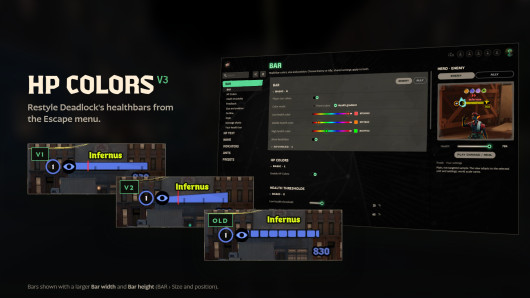
Health Color
HUD
MapList
The mod is its author's work; files and previews live on GameBanana, catalog data comes from Deadlock Mod Manager. If you are the author and want it removed, message us. Contacts
New skin - now the rank
The free tracker shows which heroes cost you points. Don't want to spend the season grinding? Price a boost.