 Кадр 1 из 7
Удобство
4:3 / 5:4 Fix & HUD Resize
Автор: vergir
- Загрузки
- 4 201
- Лайки
- 5
- Обновлён
- 25 октября 2026
Установить через Mod Manager
Страница на GameBananaОткроет Deadlock Mod Manager: он скачает файл с GameBanana и включит мод.
Нет приложения? Скачать Deadlock Mod Manager
Описание
От автора, на языке оригинала.
AI disclosure (AI-assisted code): the code of this mod was written with Claude Code, Anthropic's AI coding assistant. Claude drafted and edited the Panorama UI code (a JavaScript file, narrowhud.vts), the XML/CSS edits and the Python build scripts under my (vergir's) direction; I designed the behaviour, tested every change in the game and decided what ships. No AI-generated assets: every image, texture, model and sound is the game's own, and the screenshots are real in-game captures.
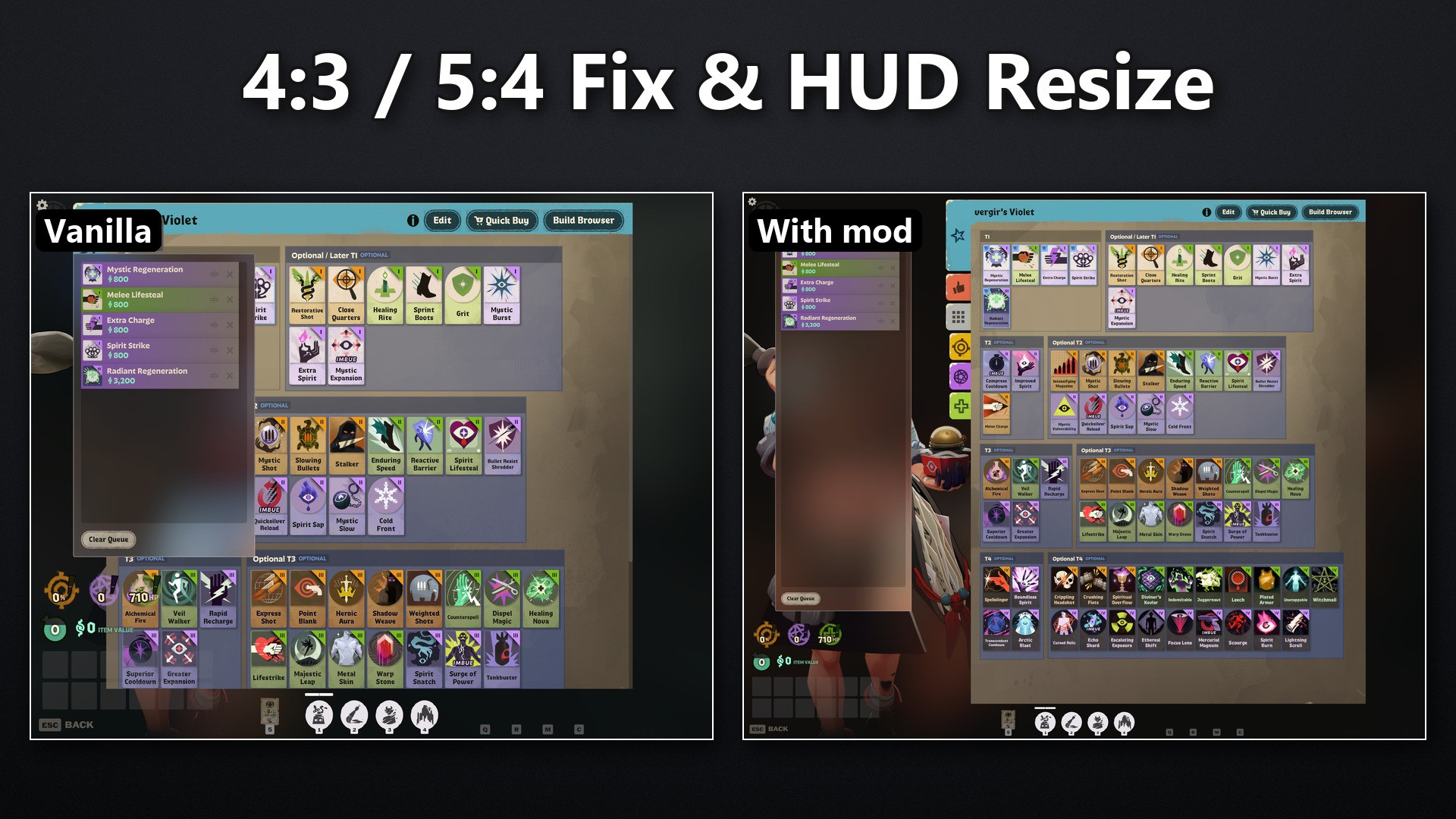
Play Deadlock on a 4:3, 5:4 or other narrow screen with a complete, un-stretched HUD, and pick the HUD size on any screen. Only the interface changes; gameplay, resolution and field of view stay as they are.
With Deadlock Mod Manager: install from this page and pick one size.
Manually:
Problems: a comment here or a GitHub issue; please include your resolution, the size you installed and a screenshot.
Play Deadlock on a 4:3, 5:4 or other narrow screen with a complete, un-stretched HUD, and pick the HUD size on any screen. Only the interface changes; gameplay, resolution and field of view stay as they are.
Features
- Narrow screens (4:3, 5:4, 9:8, 1:1 ...): the HUD is no longer stretched and is laid out like a 16:9 screen of the same width, so nothing falls off the edge: the health bar is back (vanilla pushes it out of view) and the shop's Quick Buy column no longer covers the items.
- HUD size: eleven versions from 0.5 to 1.5. Size 1.0 is the vanilla size on 16:9 and 16:10, so there it changes nothing; the other sizes shrink or enlarge the whole HUD and the menus.
- Crosshair: shows the real bullet spread at every HUD size. On narrow screens it is round; vanilla stretches it there and shows the spread about twice as wide as it is.
- Shop: stays at its normal size when the HUD is larger, so it always fits; Quick Buy, souls, items and the build editor take the shop's size while it is open.
- Menus: keep the game's own size and 4:3 layout, only un-stretched (times the HUD size). The screens that break at that size are fitted instead: the shop and its build editor, Watch Matches (its 2 x 2 grid), the player page, the post-match scoreboard and graphs.
What it does not do
- It does not change resolution or field of view. A narrow resolution is set with Steam launch options, because the game's video settings only offer 16:9, 16:10 and 21:9.
- It does not add, hide or reveal anything: every element is the game's own, only scaled and placed.
Installation
Narrow screens first need their resolution set, whichever way you install (the mod does not change it, and the game's video settings only offer 16:9, 16:10 and 21:9): in Steam, Deadlock > Properties > General > Launch Options, enter it, e.g.-w 1280 -h 1024.With Deadlock Mod Manager: install from this page and pick one size.
Manually:
- Download one size. Size 1.0 is the plain fix; pick another size for a smaller or larger HUD.
- Copy pak01_dir.vpk from the zip into Deadlock\game\citadel\addons (create the folder if needed). If a pak01_dir.vpk from another mod is already there, rename this one to the next free number (pak02_dir.vpk, ...).
- Open Deadlock\game\citadel\gameinfo.gi in a text editor and make the start of FileSystem > SearchPaths read:
Mod citadel Write citadel Game citadel/addons Game citadel Game core - Restart Deadlock.
Compatibility
- Game version: tested with Deadlock build 6819 (October 24, 2026) on Windows.
- After a game update: the mod replaces three small UI files (hud_data_feed.xml, citadel_dashboard_footer_bar.xml, npc_icons.css). If an update changes one of them, the HUD falls back to vanilla, or the game stops at launch with an error naming the file; delete the vpk and check here for a new version. Updates also reset gameinfo.gi; add the lines again (the mod manager does it for you).
- Online play: only interface files change, as with any HUD mod; no game code, memory or network traffic is touched.
- Other mods: other 4:3 / 5:4 HUD fixes replace the same HUD, mostly with older copies of the game's files; use only one. Mods that replace one of the three files above conflict with this one.
Known issues
- At size 1.3 and above on a narrow screen a few panels overlap slightly.
- Below size 1.0 the bottom corners of the HUD move toward the middle: the game keeps that group in a centered 1920-unit band, as it does on ultrawide screens.
- 21:9 is tested at size 1.0 only.
Source and support
Source code, changelog and issue tracker: GitHub · License: MITProblems: a comment here or a GitHub issue; please include your resolution, the size you installed and a screenshot.
Похожие моды
Удобство
[UPDATED] Top Bar Plus
Удобство · Nurse Harrow
OptiLock FPS Configs (Nurse Harrow Fix!)
Удобство
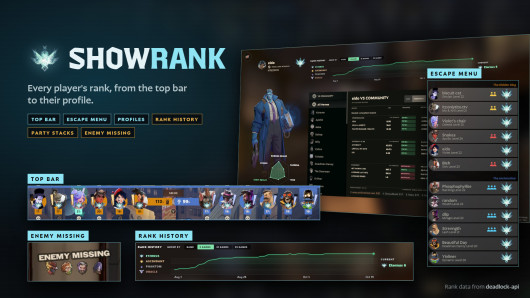
Show Rank / Lane missing warning
Мод — работа автора, файлы и превью лежат на GameBanana, данные каталога — Deadlock Mod Manager. Автор хочет убрать мод отсюда — напиши нам, уберём. Контакты
Скин поменял — теперь ранг
Трекер бесплатно покажет, на каких героях ты теряешь очки. Не хочешь тратить сезон — посчитай буст.